Image privacy · Computer vision
Blur Tool
An image privacy tool for blurring sensitive areas of photos, built with Gradio. Mark areas by hand with a brush, or let YOLO26 (Ultralytics) suggest them as whole objects, exact outlines or faces only, then apply an adjustable Gaussian blur with OpenCV. When it runs locally, photos never leave your computer.
- Python
- Gradio
- OpenCV
- YOLO26
- Ultralytics
- Hugging Face Spaces
Screenshots
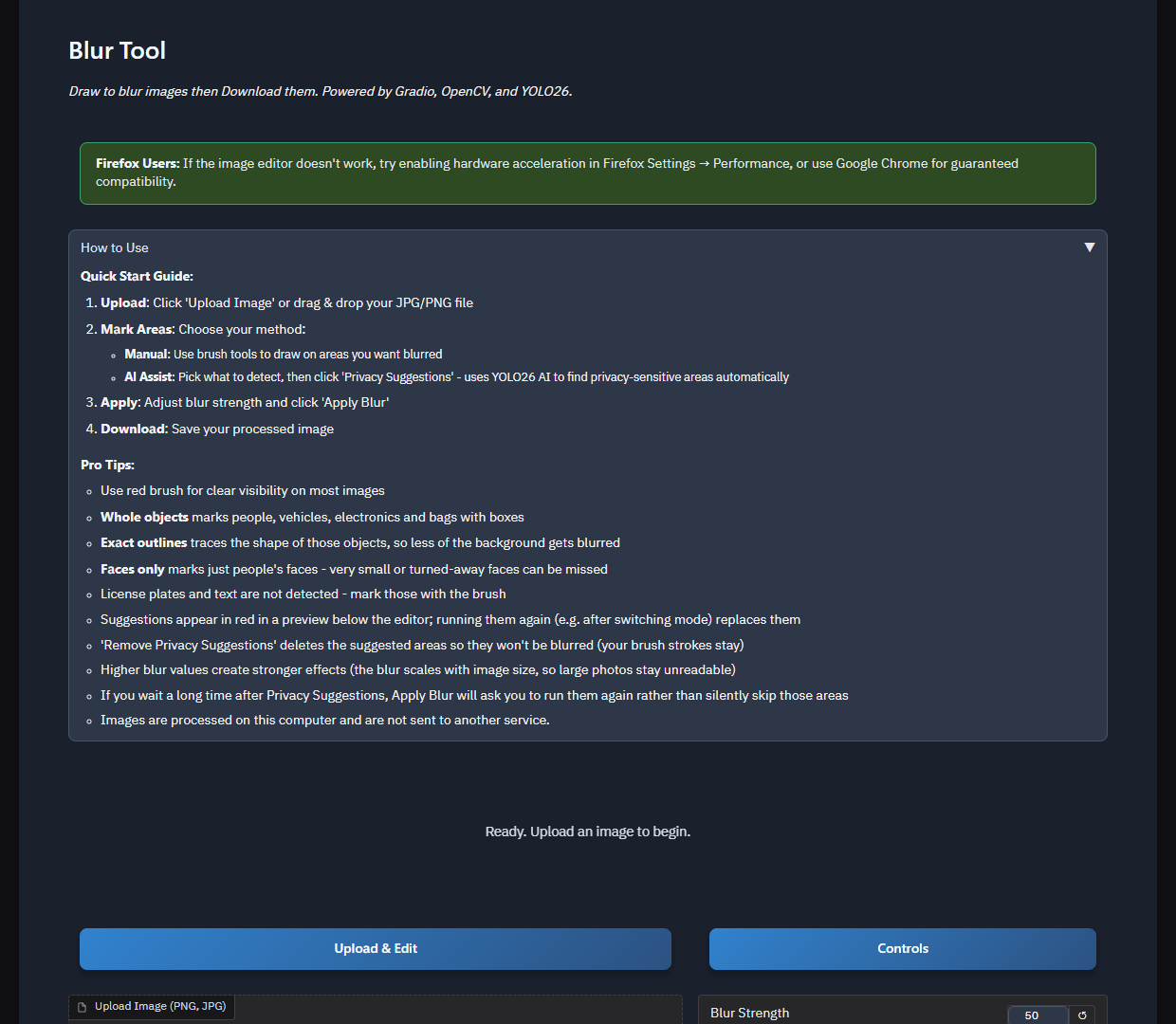
1 / 6
Getting started
Upload a JPG or PNG, mark areas with the brush or ask for AI suggestions, choose the blur strength, and download the result.
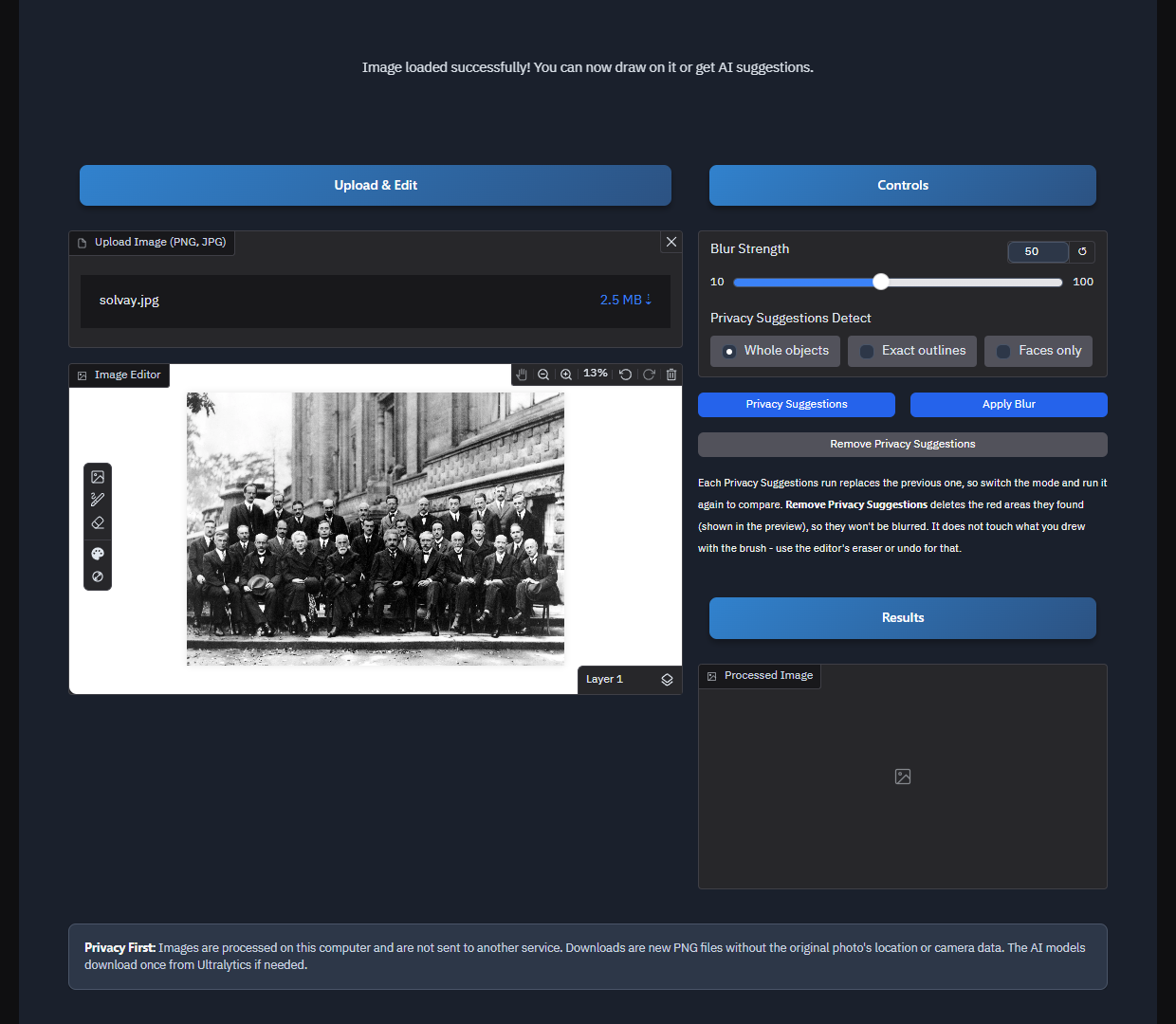
2 / 6
Photo loaded in the editor
The brush editor marks areas by hand, with zoom, undo and an eraser.
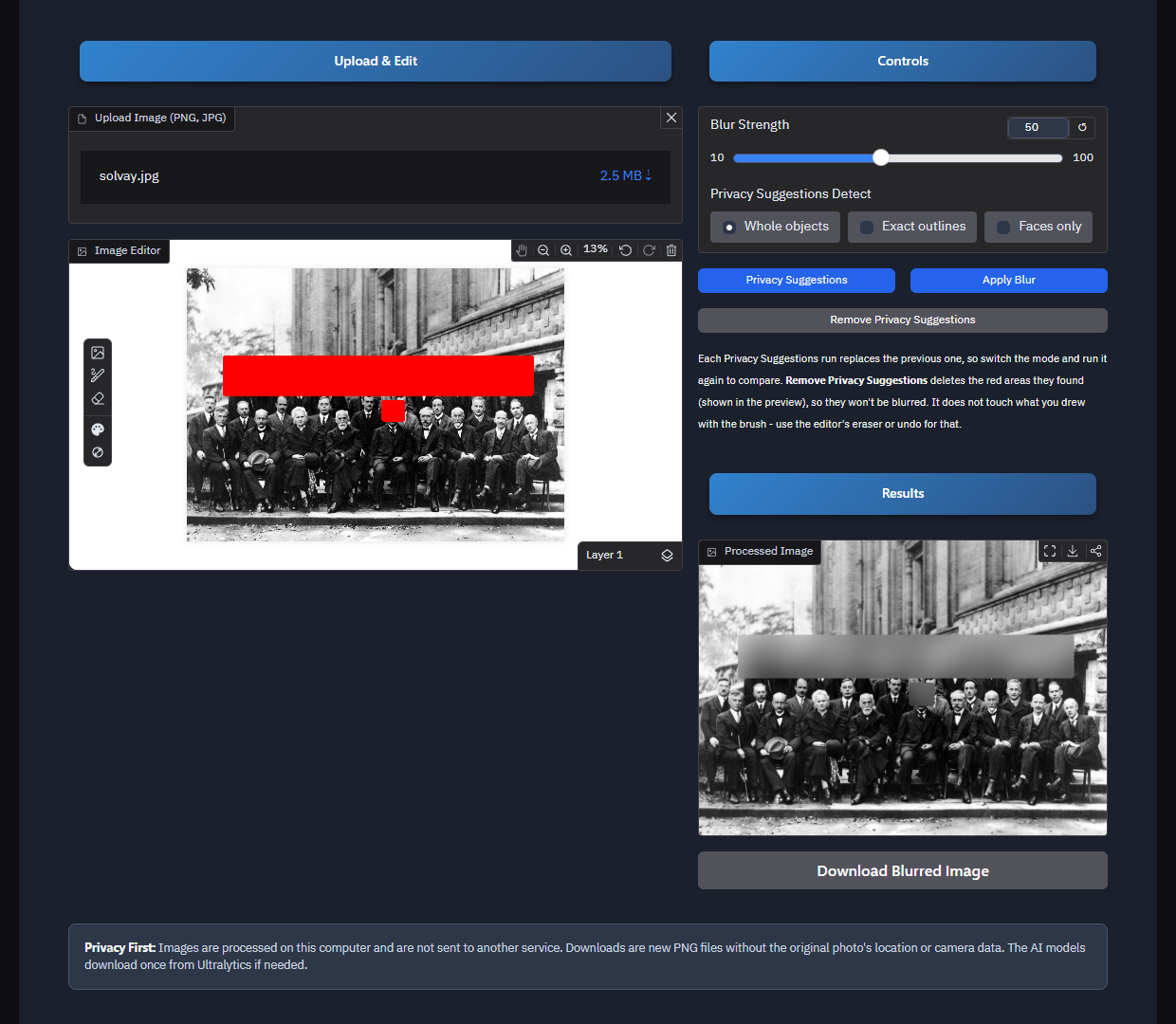
3 / 6
Blur any area by hand
Paint over anything with the brush, here the back row and one face, and Apply Blur blurs exactly what you painted. No AI needed.
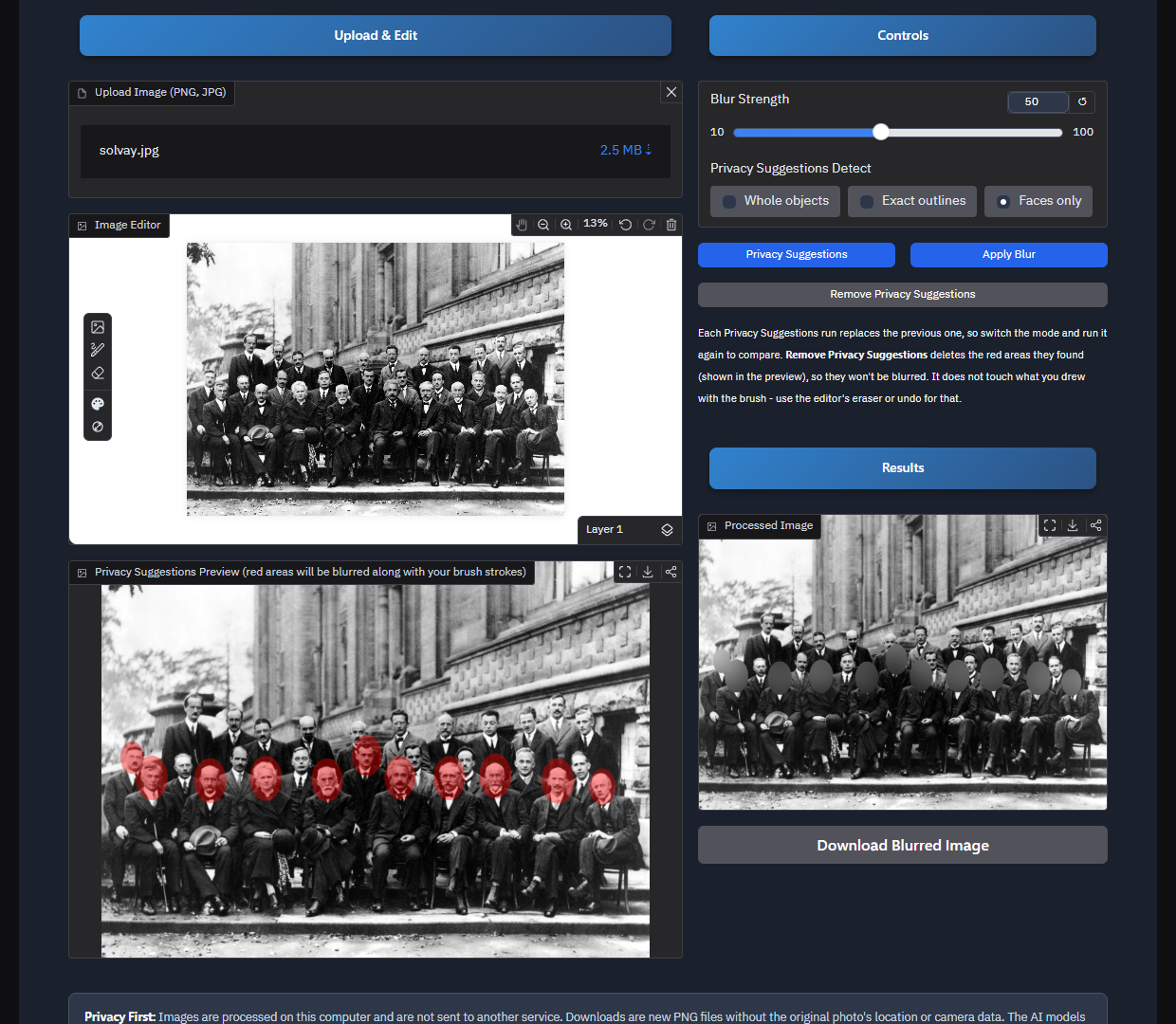
4 / 6
Faces only
Finds faces from body keypoints (eyes, nose, ears) and marks just the heads. Suggestions show in red in the preview, and Apply Blur blurs them together with any brush strokes.
5 / 6
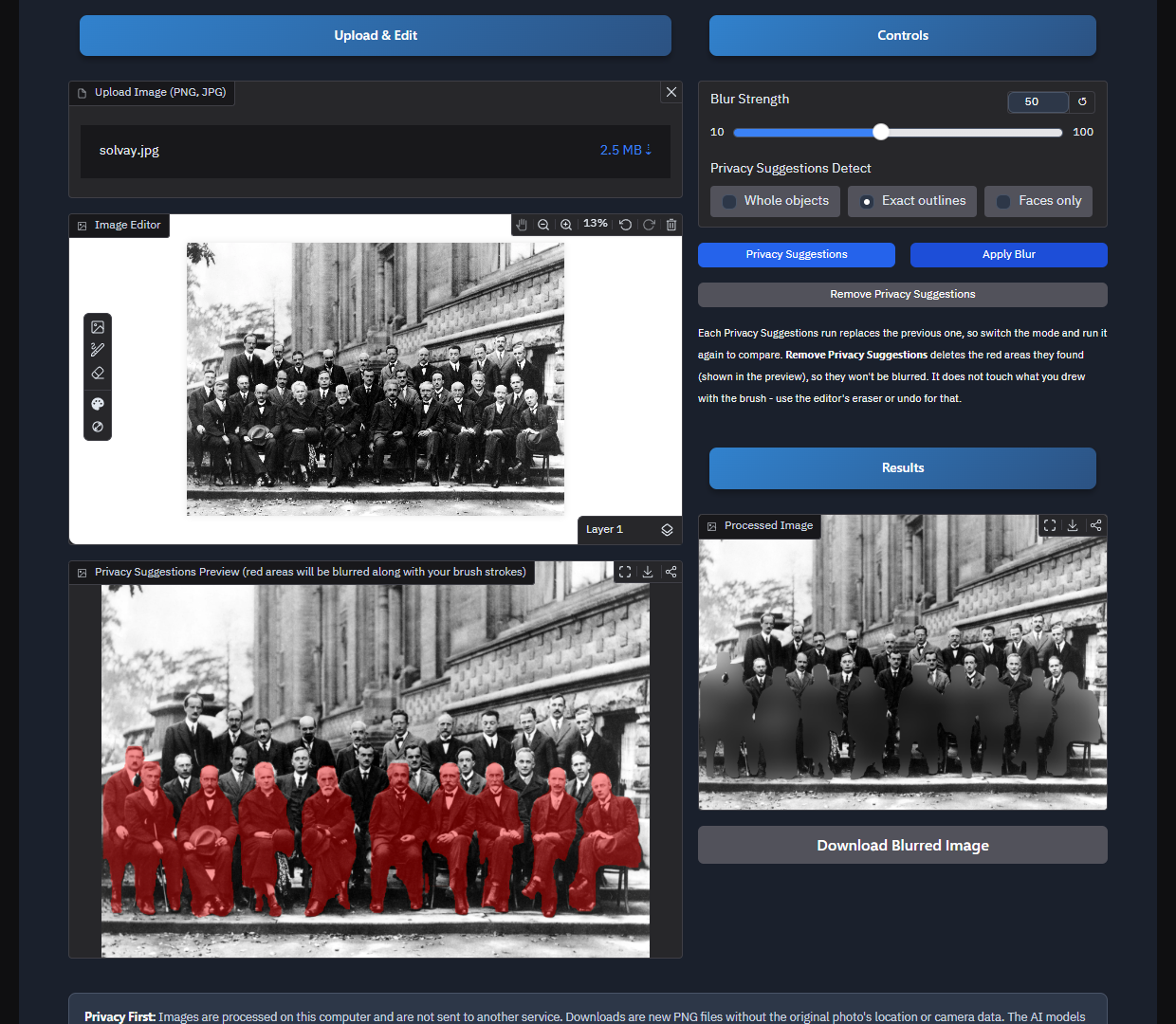
Exact outlines
Traces each person's shape, so less of the background gets blurred.
6 / 6
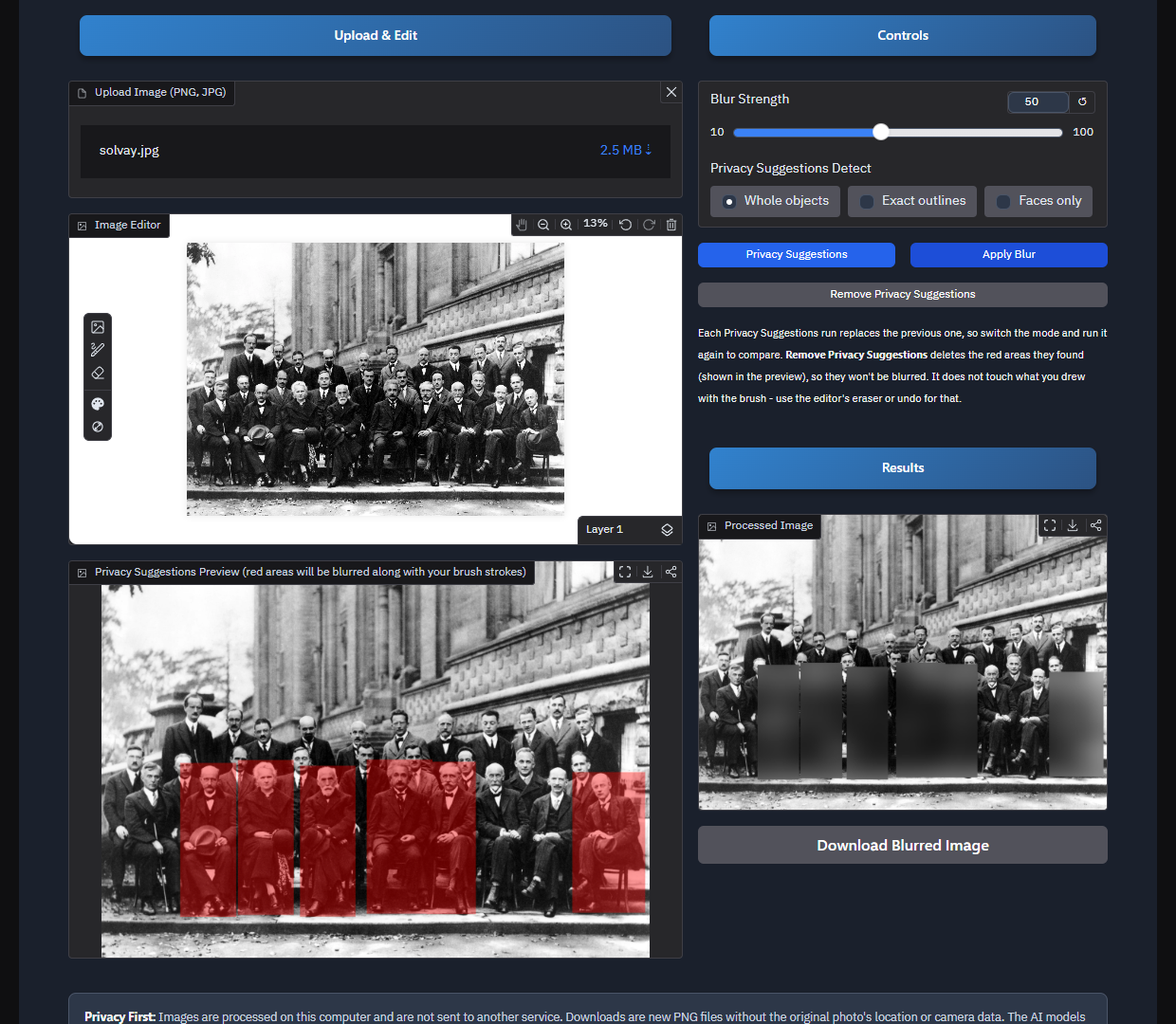
Whole objects
Boxes over people, vehicles, electronics and bags. Detection can miss small or partly hidden people, so the preview lets you check and add brush strokes.
Photo: the 1927 Solvay Conference, public domain. Screenshots from a local run. Click a screenshot to open it full size. Use the arrows, or select the gallery and press ← →.
How it works
- Upload a PNG or JPG by drag-and-drop or file picker.
- Mark areas with the brush, or run Privacy Suggestions in one of three YOLO26 modes. Running it again replaces the previous suggestions without touching your brush strokes.
- Set the strength from 10 to 100. It scales with image size, so large photos still end up unreadable.
- Apply a Gaussian blur to every marked region with OpenCV.
- Download the result as a new PNG.
Security decisions
- Clean downloads. Downloads are new PNG files without the original photo's location or camera data, and the session copy used for blurring is stripped the same way.
- Honest about where photos go. The same code shows a different privacy notice locally and on Hugging Face, because on the Space the photo is uploaded to Hugging Face's server.
- Strict uploads. Only real PNG and JPG files are accepted, checked by content rather than extension, up to 25 MB and 40 megapixels, and the limits are checked again before blurring.
- Never silently skips areas. Suggestions expire after 30 minutes. If they have, Apply Blur refuses and asks you to run them again instead of leaving those areas unblurred.
- Abuse limits. At most 20 queued requests and 25 stored sessions, with automatic cleanup of outputs.
- Safe by default. Error messages never show server paths, file paths are kept inside the temp folders, analytics are off, and no public share link is created unless you ask for one.