Network security monitoring · College capstone
AutoDefender
AutoDefender started as my capstone project in my senior year of college (fall 2025), and I still maintain it. It monitors Suricata network logs in real time or analyzes historical log files, maps each threat to MITRE ATT&CK, explains it in plain English with a local AI model through Ollama, and recommends responses, including firewall rules that only run after a person approves them.
- Python
- Streamlit
- Suricata
- Ollama
- SQLite
- MITRE ATT&CK
Screenshots
1 / 7
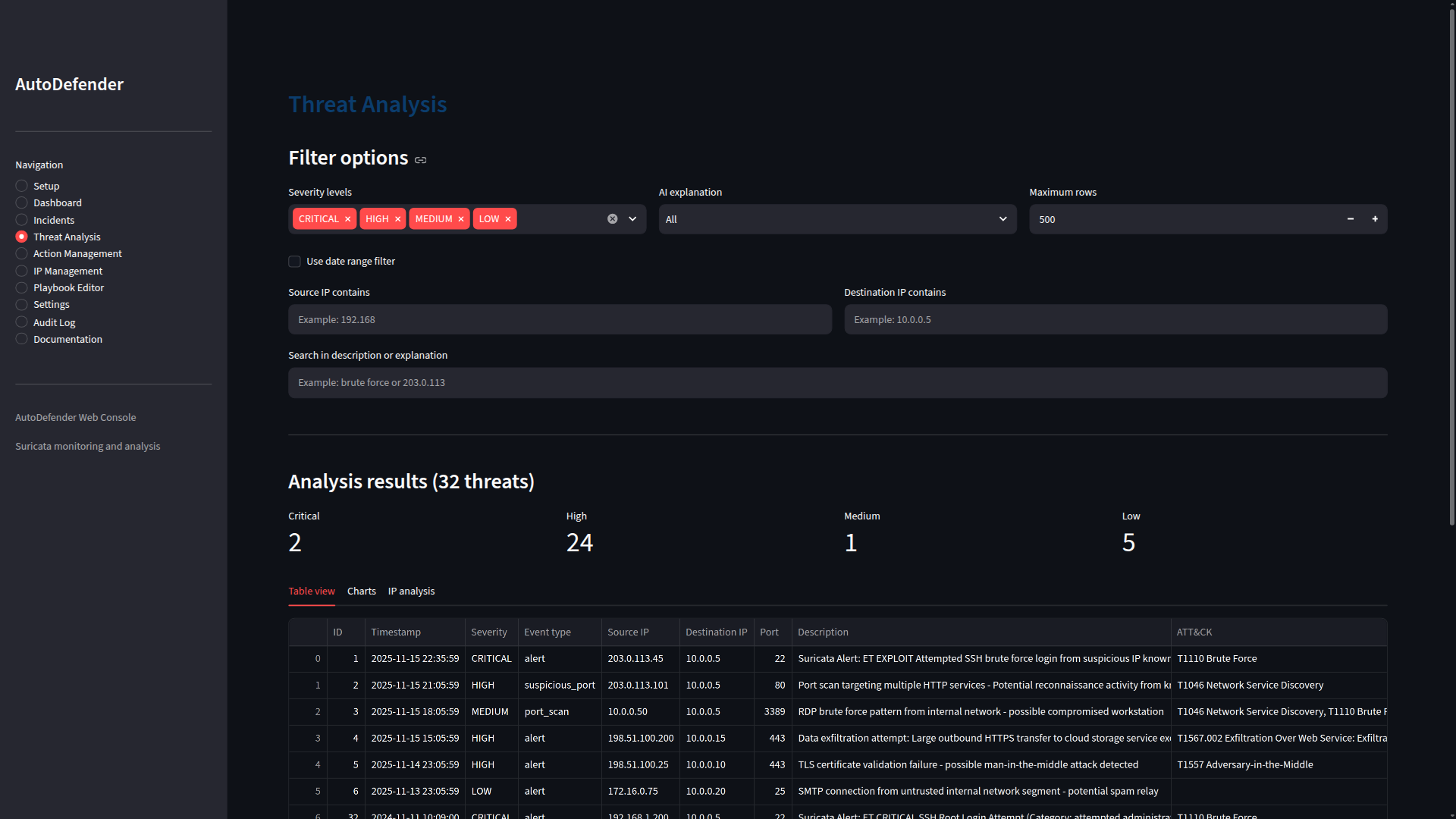
Threat Analysis
Filter threats by severity, IP address, date or text. Each one is tagged with its MITRE ATT&CK technique, and filtered results export to CSV or JSON.
2 / 7
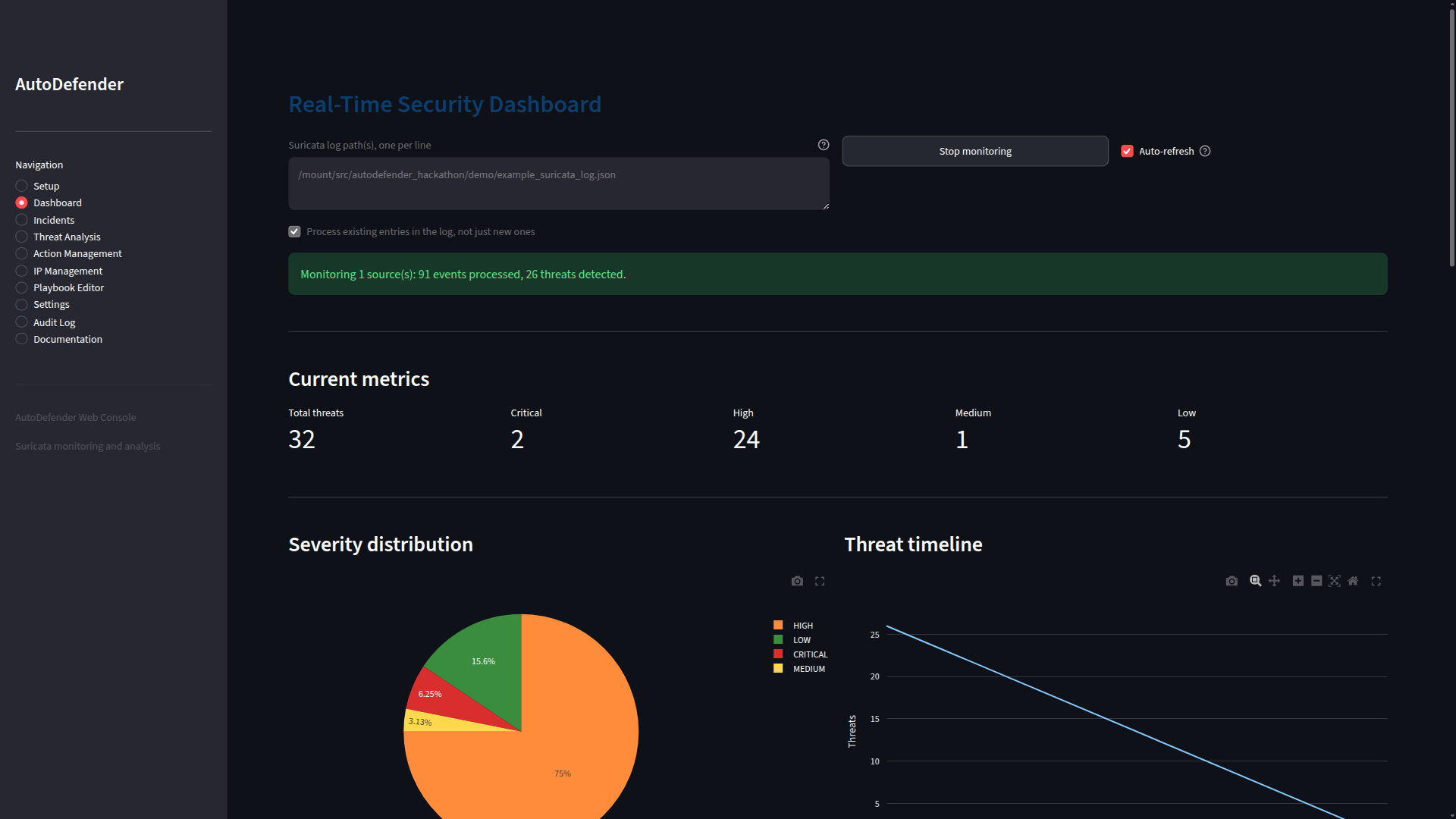
Real-time monitoring
The dashboard watches one or more Suricata eve.json logs and updates its metrics and charts as new events arrive.
3 / 7
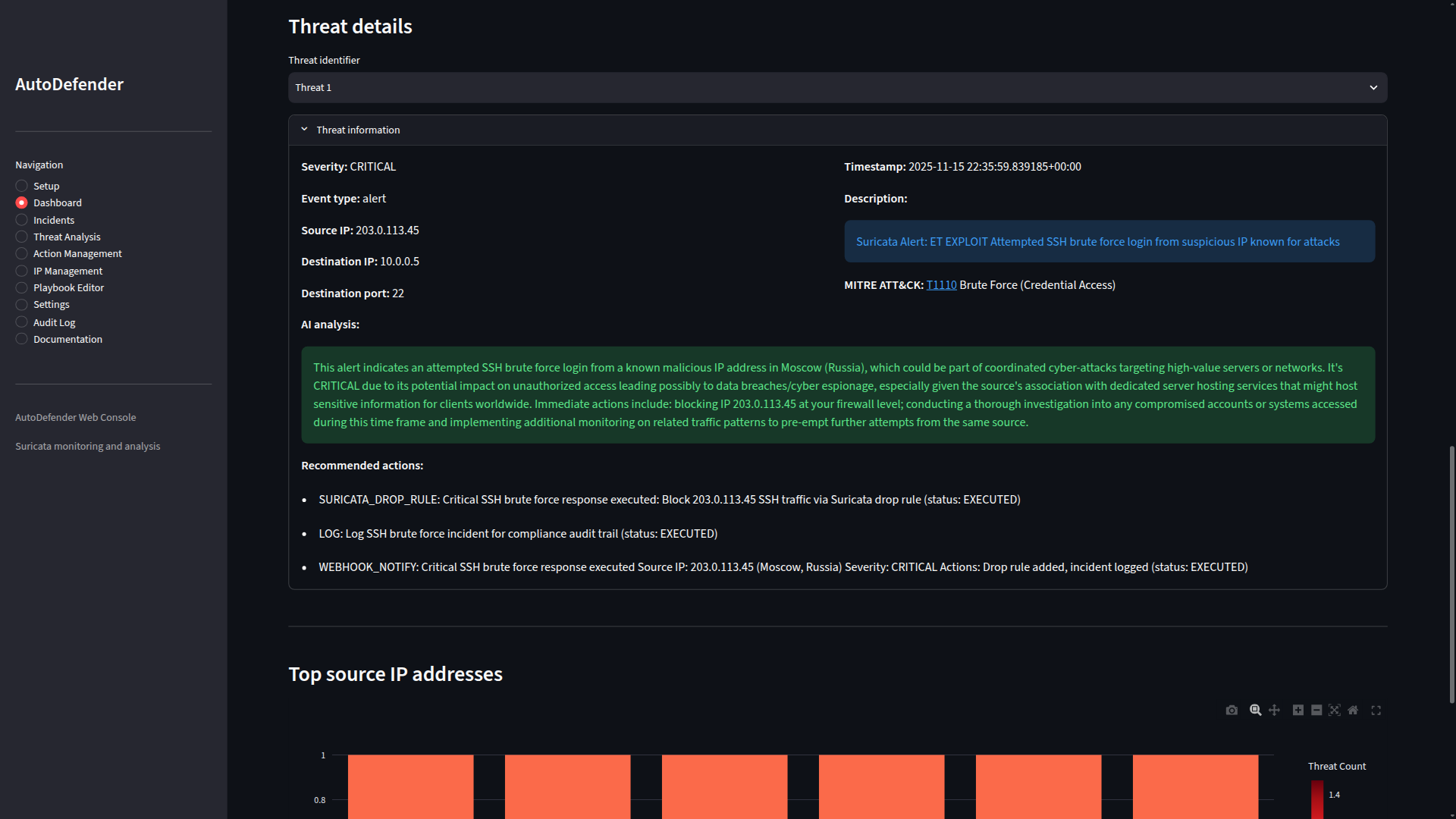
Threat details with an AI explanation
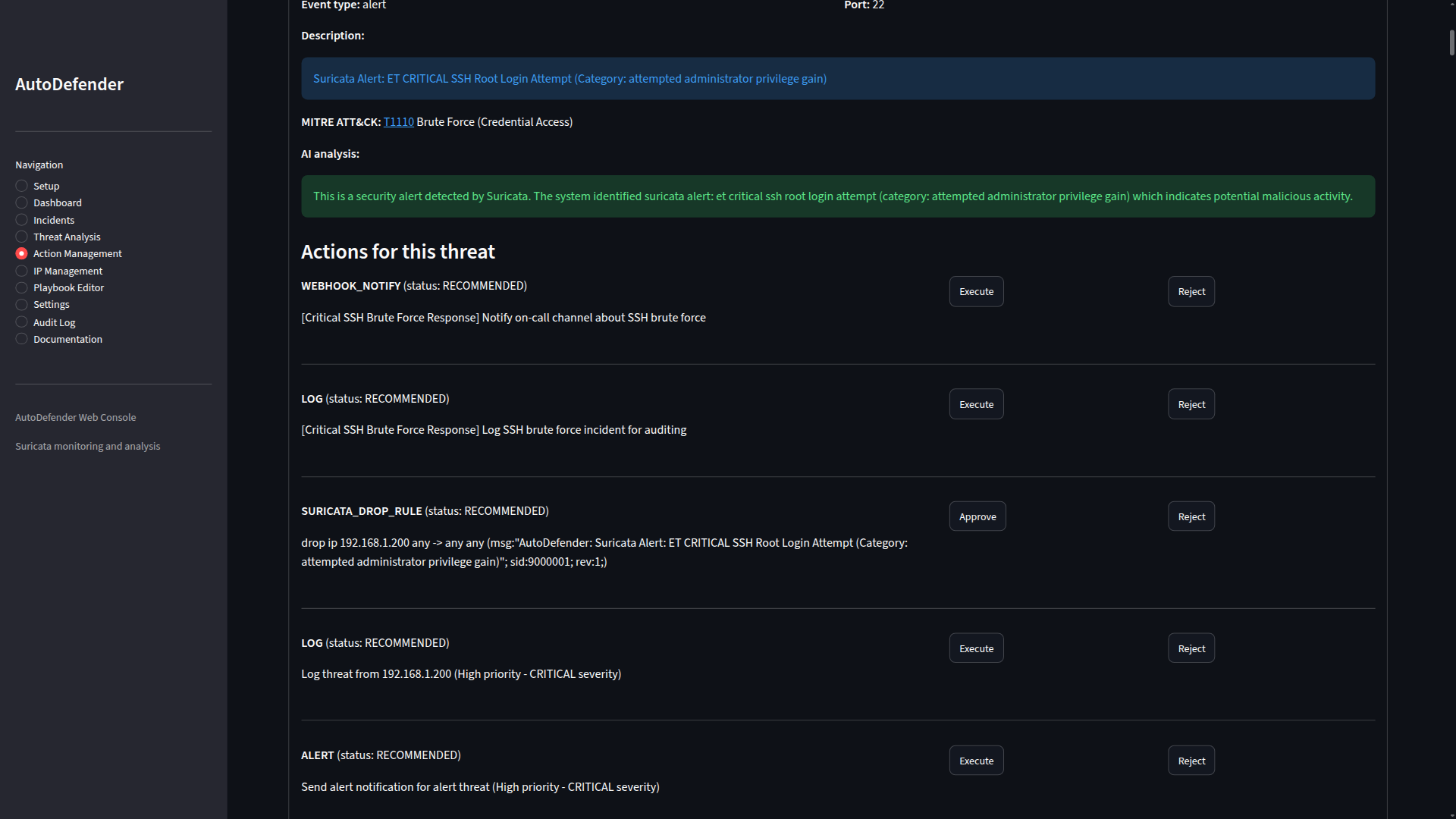
A critical SSH brute-force alert with its ATT&CK technique (T1110), a plain-English explanation from the local AI model, and the response actions taken.
4 / 7
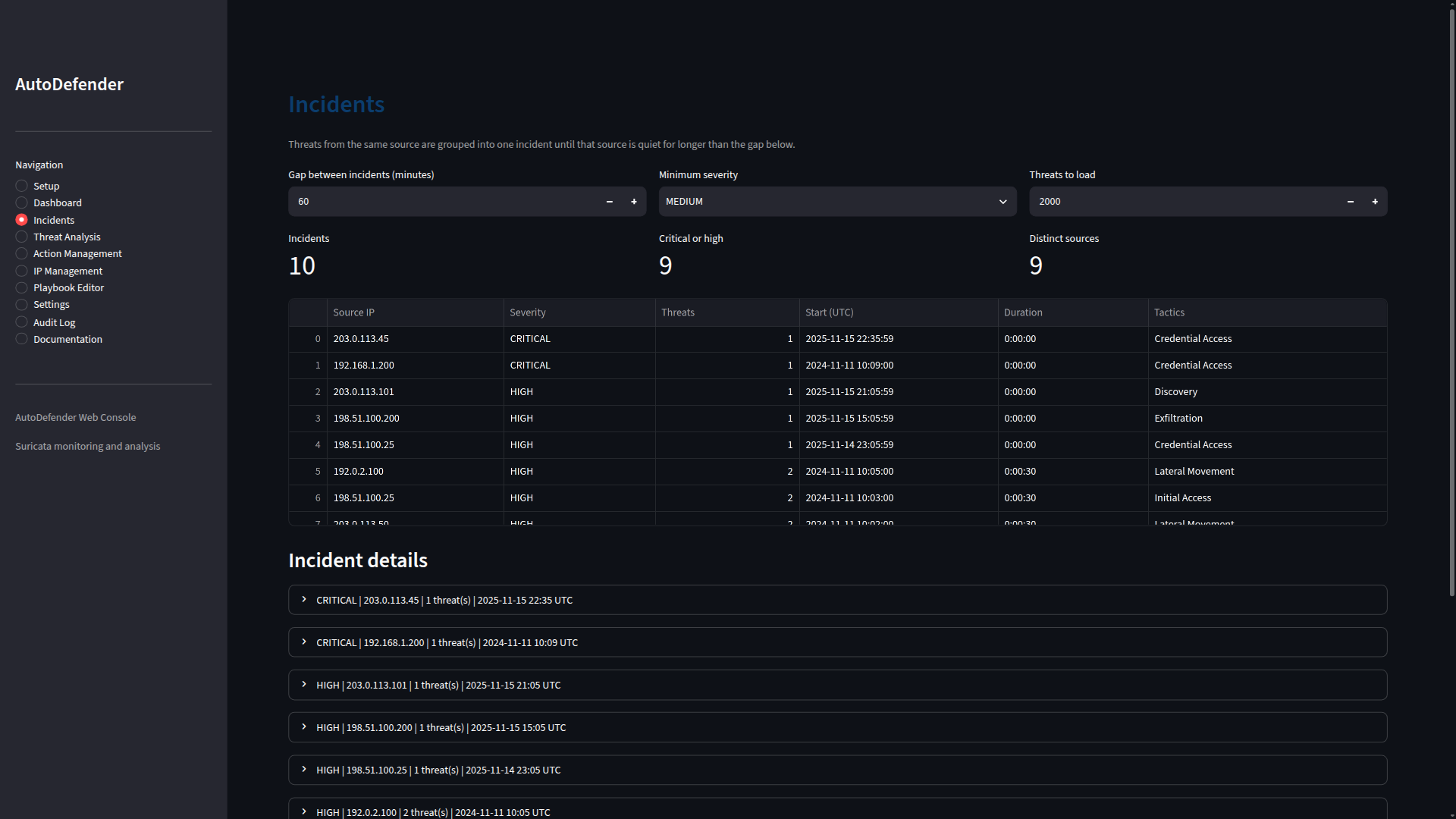
Incidents
Threats from the same source are grouped into one incident until that source goes quiet, so you can follow what one attacker did instead of reading alerts one at a time.
5 / 7
Actions wait for approval
Recommended responses can be executed, approved or rejected. The Suricata drop rule targets exactly one source IP.
6 / 7
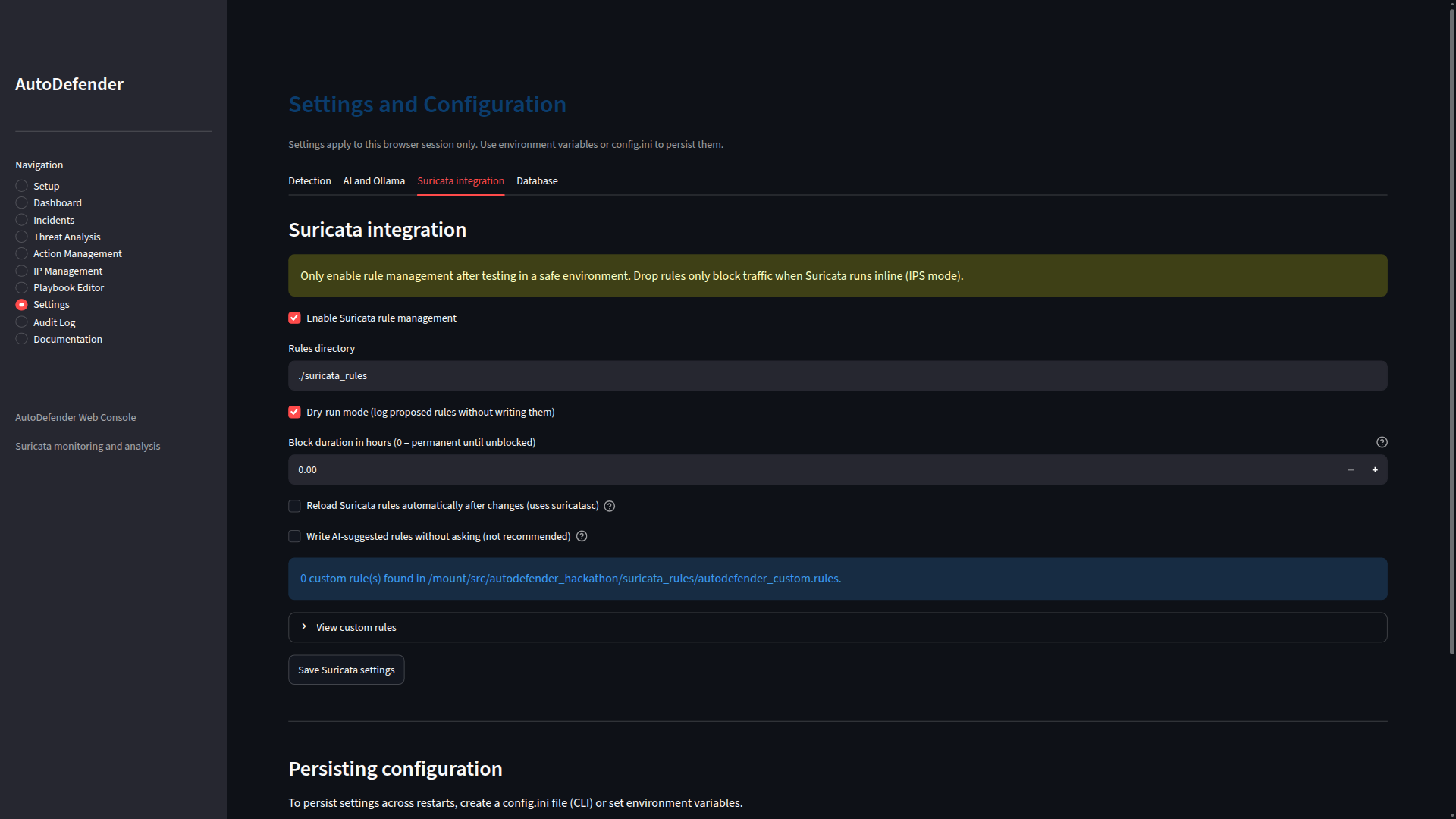
Safety controls
Rule management starts in dry-run mode, warns that drop rules only block traffic when Suricata runs inline, and won't write AI-suggested rules without asking unless you turn that on.
7 / 7
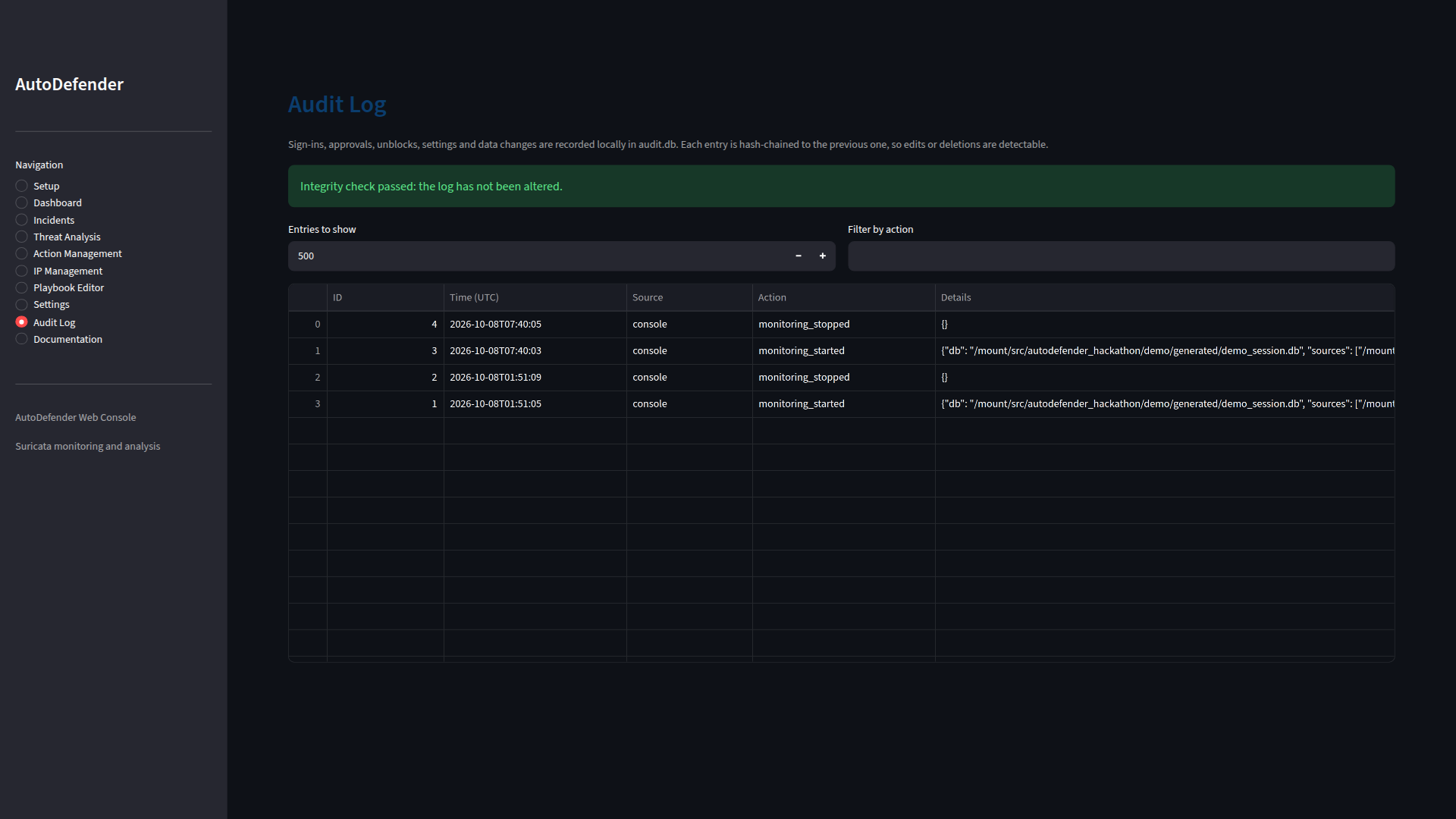
Tamper-evident audit log
Sign-ins, approvals, unblocks and settings changes are hash-chained, so an edited or deleted entry is detected.
Screenshots use AutoDefender's built-in demo data, which is synthetic: documentation and private IP ranges, documentation AS numbers and fictional organizations. Click a screenshot to open it full size. Use the arrows, or select the gallery and press ← →.
How it works
- Read the logs: tail one or more Suricata
eve.jsonfiles in real time, handling log rotation and partial lines, or batch-analyze historical logs. - Detect and enrich: rate each event's severity, detect port scans and suspicious patterns, tag threats with MITRE ATT&CK techniques, and optionally add location data from offline MaxMind GeoLite2 databases.
- Explain: HIGH and CRITICAL threats go to a local Ollama model for a plain-English explanation, on a small worker pool with a per-minute call budget.
- Respond: playbooks bundle a drop rule, a log entry and a webhook notification into one approval. Rules are backed up before every change and can be unblocked or set to expire.
- Review: in the Streamlit web console (dashboard, incidents, threat analysis, actions, IP lists, playbooks, audit log) or the terminal UI.
Security decisions
- Humans approve firewall changes. Rules are written only after approval unless auto-approval is explicitly turned on, and dry-run mode logs proposed rules without writing them.
- Safe rule writing. Only single-IP drop rules are written. AI-suggested rules must target the threat's own source IP, rules for
any, loopback or whitelisted IPs are refused, and AutoDefender assigns the rule IDs itself. - Log data is untrusted. Log fields and AI output are escaped before display, fenced off in AI prompts, and neutralized in CSV exports so they can't become spreadsheet formulas.
- Everything stays local. Analysis, AI explanations and GeoIP lookups run on your machine. Nothing leaves unless you configure a webhook, and webhooks must use https to a public host.
- Hardened sign-in. An optional password is compared in constant time. More than 5 failures in 5 minutes locks that client, even across restarts, and idle sessions sign out after 30 minutes.
- Tamper-evident audit log. Kept in its own database, so clearing threats never clears it.